Workflows (UBC.flow)
Intro
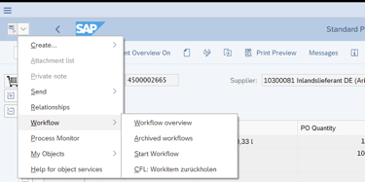
UBC - Unified Backend Connector comes with a component for building your process - easily and powerful - using workflow technique. With UBC.flow, complex workflows can be mapped without SAP workflow know-how using simple ABAP-based customizing. Any number of workflows can be defined. These workflow definitions determine the flow of a process. Within UBC, two standard workflows are defined using UBC.flow that handle the entire flow of processing data integrated with UBC.io. Each workflow for a specific business object will be attached to GOS in "workflow overview".
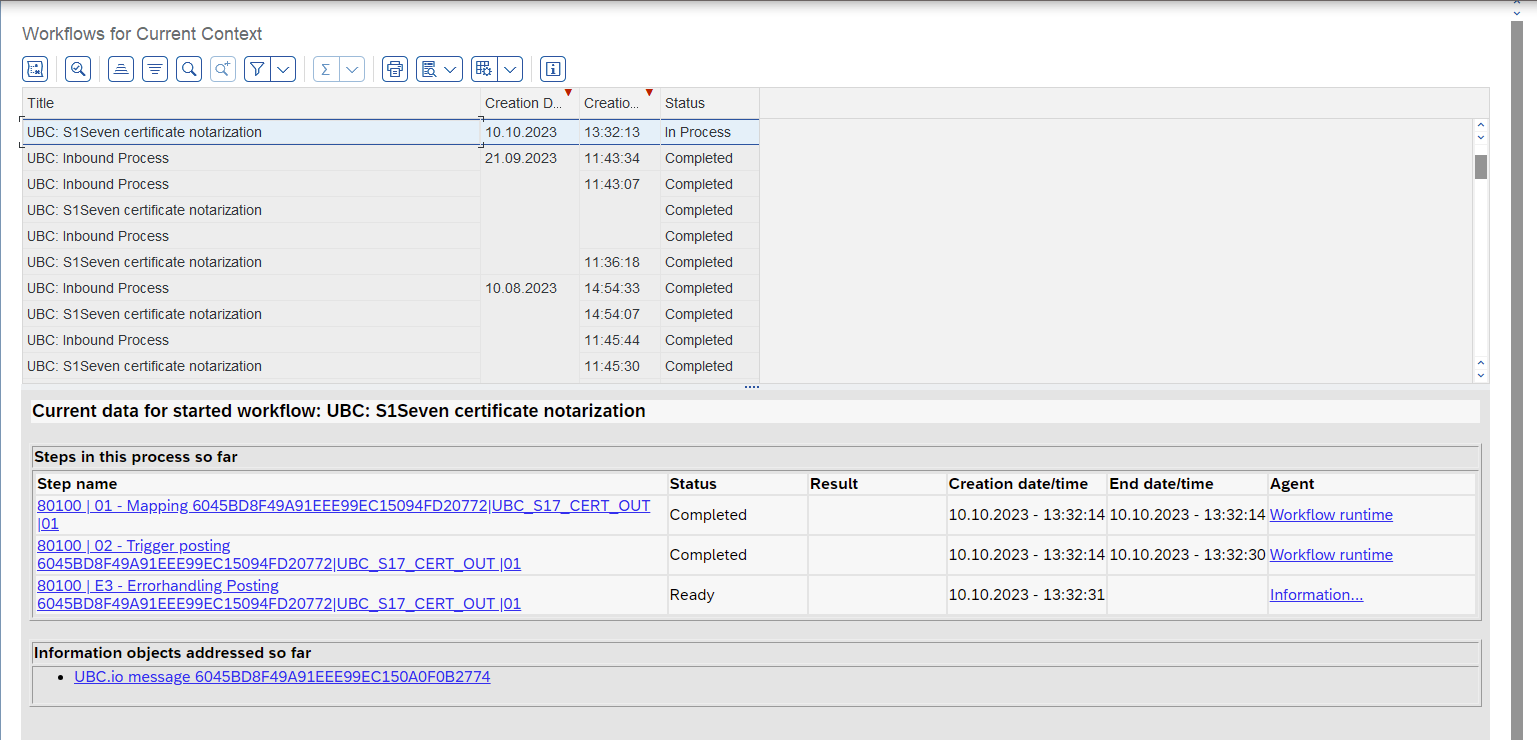
It is possible to jump into details for a specific work item or directly jump to the linked objects like a UBC.io message. Monitoring and analysis of the flow itself can be performed as follows, by either:
- jumping from message to associated workflow in UBC.io monitoring
- jumping via object, GOS, workflow overview
- directly starting the monitoring transaction
/UBC/FLOW_ADMIN_CON
Custom Workflows
You are always free to change/enhance the standard workflows in your system.
To define custom workflows within UBC.flow linked to an object of UBC.bo, please read first this document as a basis as the integration is based on conFLOW. Start with the customizing in /UBC/CUSTOMIZING->UBC.flow configuration. For a kick-start, you are free to copy from in-/outbound workflows 80000/80001.
As a difference to the above mentioned document, it is not required to create a new enhancement implementation. Instead, workflow behavior is controlled by a Workflow handler mentioned later.
Message handler
In order to decouple message persistency of UBC.io from the workflow you will find a dedicated section in /UBC/CUSTOMIZING->Message handler configuration.
Choose the Scenario (STD/any custom) and Engine (CIO/AIF) and specify your custom message handler implementation. It has some generic implementation regarding the message, scenario and engine dependent.
Workflow handler
In order to decouple workflow handler from the message persistency of UBC.io you will find a dedicated section in /UBC/CUSTOMIZING->Workflow handler configuration.
Link the previously configured workflow to a scenari/engine (see Message handler) and a target workflow handler. The workflow handler allows to implement the specific workflow methods like "getting actors by code" or "get datasource for mail sending".
Determine Workflow for Business Object
Workflows are started by UBC.io as per default. Go to transaction /UBC/CUSTOMIZING -> UBC.io configuration for UBC.flow.
Find your interface group and go to mapping groups <-> messages. There you can change the workflow definition to your custom one.
If the workflow definition has to be determined at runtime of your object of UBC.bo then implement method /UBC/CL_BO->CHANGE_WORKFLOW_DEFINITION.